Automatically connect your CRM to your emails

Automatically connecting your CRM to your emails has become essential for businesses looking to save time, improve customer tracking, and centralize client data. Too often, email exchanges remain isolated in inboxes, limiting visibility and team efficiency.

Automating the connection between your CRM and emails helps structure client relationships, prevent information loss, and optimize every interaction.

1. Why Automatically Connect Your CRM to Emails

Sales and marketing teams exchange hundreds of emails daily. Without synchronization:

  • Conversations remain fragmented
  • Prospect tracking becomes complex
  • Data stays scattered
  • Team collaboration suffers

Connecting your CRM to your emails automatically allows for:

  • A complete history of interactions
  • Better pipeline management
  • 360° view of each client
  • Improved coordination between teams

It’s a direct lever for operational efficiency.
2. Benefits for Sales Teams

Centralized Data

Every sent or received email is automatically linked to the relevant contact or company record in the CRM.

Time Savings

No more manual copy-pasting—repetitive tasks are automated.

Better Opportunity Tracking

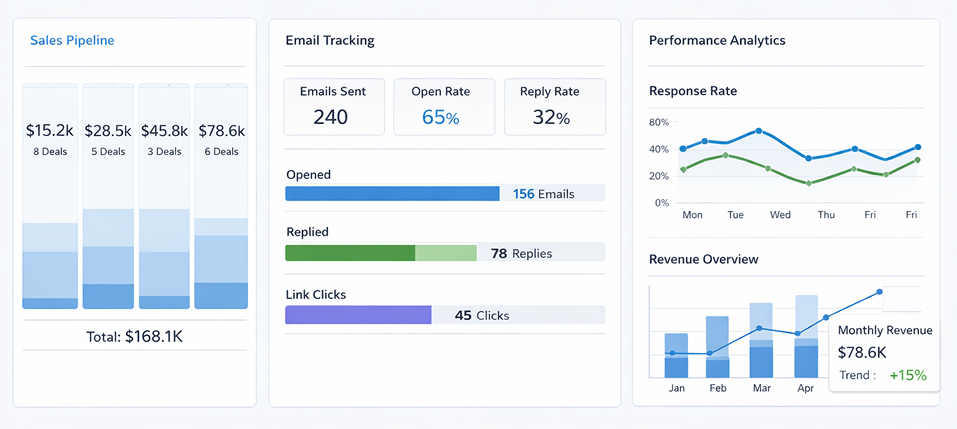
Follow-ups, email opens, and interactions are tracked, improving prospect management.

3. How to Automatically Connect Your CRM to Emails

There are several methods depending on the tools you use:

Native Integration

Many CRMs offer direct synchronization with Gmail or Outlook.

Connectors and Automation

Tools like Zapier or Make (Integromat) create automated workflows between your email and CRM.

Email Extensions

Some extensions add CRM functionalities directly to your email interface.

The choice depends on your digital ecosystem and technological maturity.

👉 Read more : Build a Strategic Editorial Calendar

4. Key Considerations

Even though automating your CRM-email connection offers many advantages, it’s important to:

  • Ensure GDPR compliance
  • Secure access controls
  • Define clear data management rules
  • Avoid information overload

Automation should remain controlled and strategic.
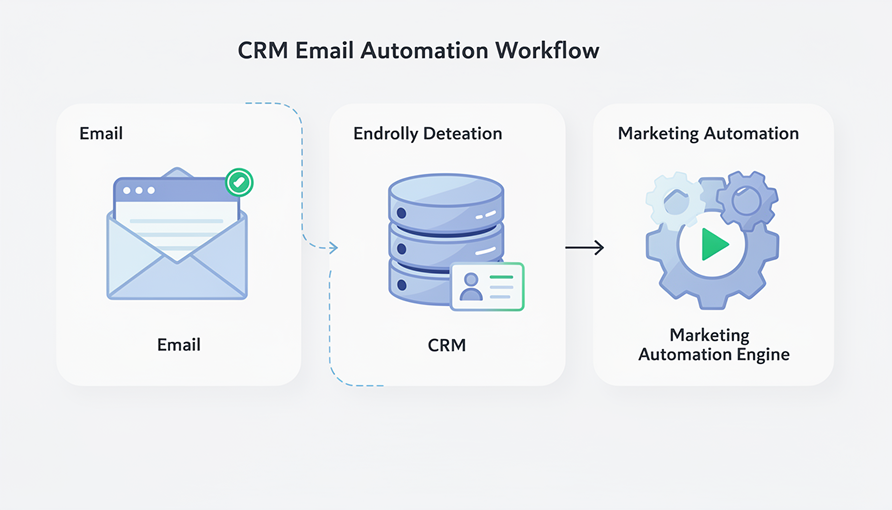
5. Automation and Marketing Performance

Beyond sales tracking, connecting your CRM to emails enables:

  • Contact segmentation based on interactions
  • Triggering automated campaigns
  • Personalizing messages at scale
  • Measuring email performance

It’s a key component of a successful marketing automation strategy.

6. DevUps and CRM Integration

At DevUps, we support businesses with:

  • Choosing the right CRM
  • Setting up automation workflows
  • Integrating email tools
  • Optimizing processes for efficiency

Automatically connecting your CRM to emails is not just a time-saver—it’s a growth accelerator.

👉 Discover our services

Conclusion

Automatically connecting your CRM to emails centralizes information, improves collaboration, and optimizes client follow-up. In today’s digital environment, smart automation is a strategic advantage.

The question is no longer “Should you connect your CRM to your emails?” but “How can you do it efficiently?”

👉 Need help ? Contact DevUps

Which tools to use for an effective digital audit

Conducting an effective digital audit is a critical step to understand the overall performance of your online presence. Before optimizing a website, investing in marketing, or transforming processes, it’s essential to analyze the current situation.

A well-structured digital audit identifies strengths, weaknesses, and growth opportunities. But achieving this requires using the right tools.

1. Why an effective digital audit is essential

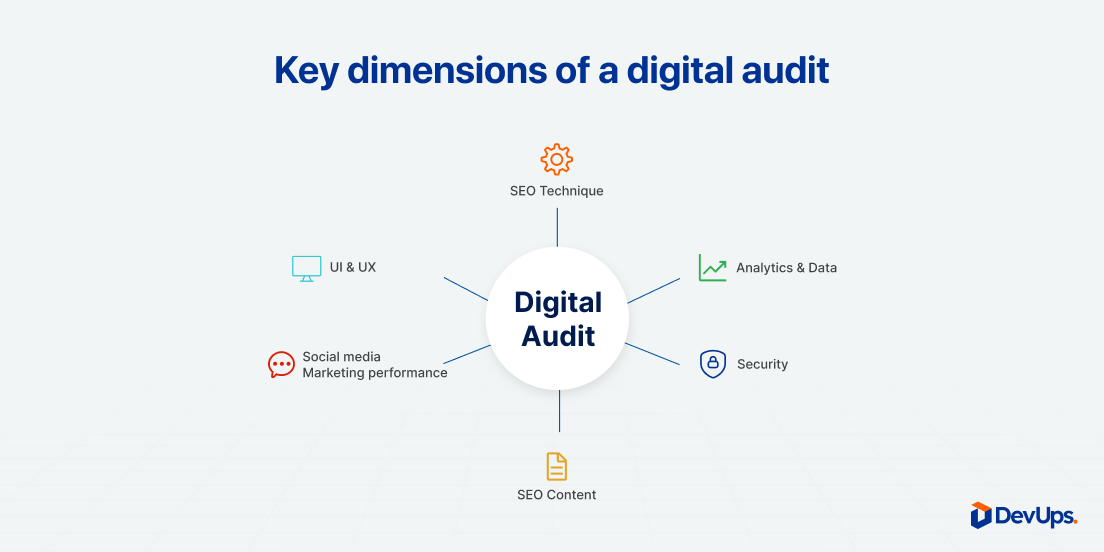
A digital audit goes beyond analyzing website traffic. It covers multiple dimensions:

  • Technical performance of the website
  • Search engine optimization (SEO)
  • User experience (UX)
  • Content strategy
  • Marketing campaign performance
  • Social media presence

An effective digital audit provides a clear and structured view, enabling data-driven strategic decisions.

2. Tools to analyze website performance

Google Analytics

Essential for analyzing:

  • Website traffic
  • Acquisition sources
  • User behavior
  • Conversions

It helps identify what works and what needs optimization.

Google Search Console

Key for:

  • SEO query analysis
  • Detecting technical errors
  • Monitoring indexing status

These two tools are the foundation of any effective digital audit.

3. SEO tools for an in-depth digital audit

To go further, specialized platforms include:

  • SEMrush
  • Ahrefs
  • Screaming Frog
  • Ubersuggest

They allow you to analyze:

  • Backlinks
  • Keyword positions
  • Competitors
  • Technical SEO issues

These are essential for an audit focused on organic visibility

👉 Read more : Build a Strategic Editorial Calendar

4. Tools to evaluate user experience (UX)

UX is often an overlooked pillar in digital audits.

Recommended tools:

  • Hotjar (heatmaps & session recordings)
  • Microsoft Clarity
  • PageSpeed Insights

They help identify:

  • Friction points
  • Slow-loading pages
  • Drop-offs

A comprehensive digital audit must include UX analysis to improve conversion rates.

5. Tools for content strategy analysis

An effective digital audit also evaluates content performance:

  • Article performance analysis
  • Keyword consistency
  • Internal linking structure
  • Engagement metrics

Tools like Google Analytics, SEMrush, or SEO plugins help identify content to update, optimize, or remove.

6. Tools for marketing campaign analysis

If you run digital advertising, include:

  • Google Ads
  • Meta Ads Manager
  • CRM tools

A good digital audit should measure:

  • Cost per acquisition
  • ROI of campaigns
  • Lead quality

7. Structuring a digital audit step by step

To ensure effectiveness:

  1. Define objectives
  2. Collect data
  3. Analyze performance
  4. Identify priorities
  5. Develop an actionable plan

An effective audit doesn’t just produce a report it results in concrete recommendations.

8. DevUps and support for digital audits

At DevUps, we help companies carry out comprehensive digital audits tailored to their maturity and goals.

Our methodology includes:

  • In-depth technical analysis
  • Strategic assessment
  • Actionable recommendations
  • Performance tracking

An effective digital audit is the starting point for a successful digital transformation.

👉 Discover our services

Conclusion

Choosing the right tools is essential to launch an effective digital audit. But beyond technology, methodology and analytical capability make all the difference.

A well-structured audit helps optimize investments, improve performance, and strengthen digital competitiveness

👉 Need Help ? Contact DevUps

Digital onboarding: How to successfully welcome a new employee

Digital onboarding has become a strategic priority for organizations looking to successfully integrate new employees, especially in hybrid and remote work environments. A poorly structured onboarding experience can negatively impact motivation, productivity, and long-term retention.

On the other hand, a well-designed digital onboarding process creates a smooth, engaging, and structured experience from day one.

1. Why digital onboarding is now essential

Modern companies must manage:

  • Hybrid or fully remote teams
  • Distributed collaboration
  • Multiple digital tools and workflows

An effective digital onboarding process helps to:

  • Standardize the integration journey
  • Reduce time to productivity
  • Improve early engagement
  • Ensure consistent knowledge transfer

Welcoming a new employee should never be improvised. It should be designed as a structured experience.

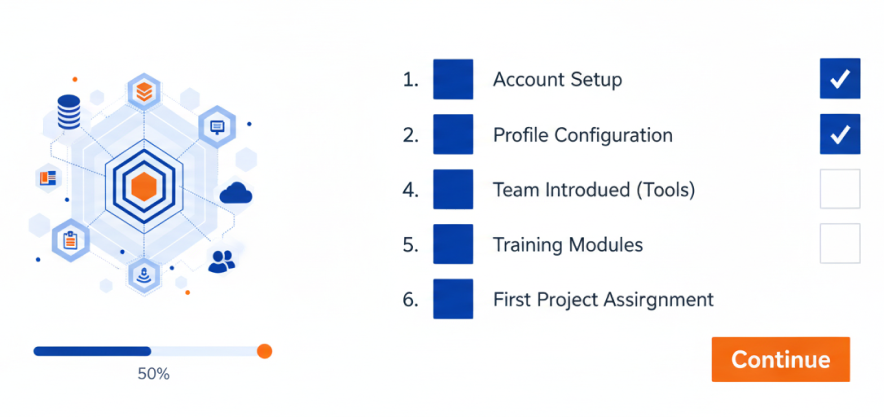
2. Key stages of a successful digital onboarding process

Pre-onboarding: before day one

The onboarding experience begins before the official start date. Pre-onboarding may include:

  • A welcome email with key information
  • Access to internal platforms
  • A clear schedule for the first week
  • Digitized administrative documents

This phase reduces anxiety and builds a positive first impression.

First day: structured immersion

The first day should be organized and intentional:

  • Team introductions
  • Access to essential tools
  • Clear explanation of expectations
  • Structured digital training materials

Digital onboarding platforms make resources accessible anytime, supporting a smoother integration.

30-60-90 day follow-up

A strong onboarding process continues beyond the first week. It should include:

  • Regular check-ins
  • Progressive objectives
  • Structured feedback sessions

Digital tools centralize documentation, track progress, and improve transparency.

👉 Read more : How to choose the right collaboration tools for a high-performing team

3. Tools to support digital onboarding

Several tools can enhance the onboarding journey:

  • HR platforms (HRIS systems)
  • Collaboration tools like Notion, Teams, or Slack
  • Learning management systems (LMS)
  • Automated workflows for administrative tasks

The goal is to simplify the employee experience not overwhelm it with technology

4. Business benefits of digital onboarding

A structured digital onboarding process leads to:

  • Faster skill development
  • Higher employee retention
  • Stronger employer branding
  • Fewer administrative errors

It also signals organizational maturity and reinforces a modern workplace culture.

5. Common mistakes to avoid

Even digital onboarding can fail if:

  • It overloads new hires with too much information
  • It lacks human interaction
  • It is not personalized
  • There is no structured follow-up

Technology should support human connection not replace it.

6. DevUps and HR process optimization

At DevUps, we support organizations in digitalizing and optimizing HR processes, including onboarding.

Our approach includes:

  • Needs assessment
  • Employee journey mapping
  • Tool selection and integration
  • Smart workflow automation

A well-structured digital onboarding strategy is a long-term investment in performance and retention.

👉 Discover our services

Conclusion

Digital onboarding is no longer optional it is essential in today’s evolving workplace. When structured, human-centered, and supported by the right tools, it enhances employee experience and strengthens overall organizational performance.

Successfully welcoming a new employee means laying the foundation for long-term collaboration and growth.

👉 Need Help ? Contact DevUps

Build a Strategic Editorial Calendar

Building a strategic editorial calendar is now essential for managing digital communication effectively. In an environment where content channels are multiplying and competition for attention is intense, publishing content on the fly is no longer enough.

A well-designed editorial calendar helps you anticipate publications, align content with business, marketing, and SEO goals, and turn content creation into a structured, measurable, and collaborative process.

1. Why build a strategic editorial calendar

An editorial calendar is more than a list of dates and topics. When built strategically, it helps you:

  • ensure consistent publishing
  • structure your content strategy over the mid and long term
  • avoid redundant or improvised content
  • optimize internal resources
  • improve SEO performance through a clear thematic vision

In short, it transforms content production into a controlled and scalable process.tif.

2. The pillars of an effective editorial calendar

Alignment with business goals

Every piece of content should serve a clear objective: brand awareness, lead generation, trust-building, retention, or conversion.
A strategic editorial calendar always starts with one question: why are we publishing this content?

SEO-driven thematic consistency

Planning content in advance allows you to work on keywords progressively and logically. It supports topic clusters, strengthens internal linking, and improves how search engines understand your website.

Consistent publishing rhythm

Planning content in advance allows you to work on keywords progressively and logically. It supports topic clusters, strengthens internal linking, and improves how search engines understand your website.

👉 Related article : SEO fundamentals for 2025

Consistent publishing rhythm

Publishing less but better and more consistently is often more effective than producing content intensively without structure. An editorial calendar helps adapt the rhythm to your team’s real capacity.

3. How to structure a strategic editorial calendar

A high-performing editorial calendar relies on a few key elements:

  • content title or topic
  • distribution channel (blog, newsletter, LinkedIn, etc.)
  • target audience or persona
  • primary and secondary keywords
  • content format (article, guide, video, case study…)
  • publication date
  • owner or responsible team member

This structure simplifies tracking and improves coordination, especially in cross-functional teams.

4. Tools to manage a strategic editorial calendar

There is no single perfect tool. The right choice depends on your organization’s maturity.

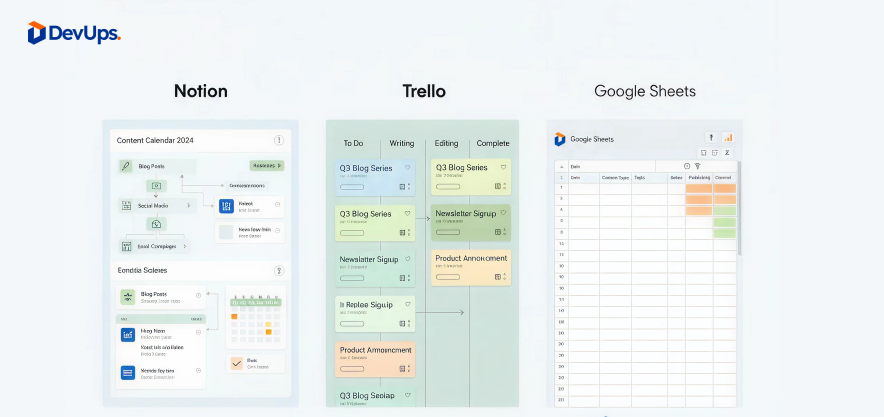
  • Notion: ideal for centralizing content, briefs, and validations
  • Trello / Asana: excellent for visual and collaborative workflows
  • Google Sheets: simple and effective for getting started
  • Marketing automation tools: useful for syncing content planning and distribution

👉 Also read : How to choose the right collaborative tools

5. Collaboration and team organization

A strategic editorial calendar is also a collaboration tool. It makes it clear:

  • who creates the content
  • who reviews and validates it
  • when it will be published
  • on which channel

This transparency reduces friction, improves communication, and increases overall content quality.

6. Automate and analyze to improve performance

Once your calendar is in place, the next step is optimization through measurement.

Key metrics to track:

  • traffic generated
  • engagement rate
  • conversions
  • SEO performance of content

Automation helps save time by scheduling posts, setting internal reminders, and syncing with CRM or analytics tools.

7. DevUps and a strategic editorial approach

At DevUps, we help organizations structure and execute their content strategies—from editorial planning to operational delivery.

Our approach focuses on:

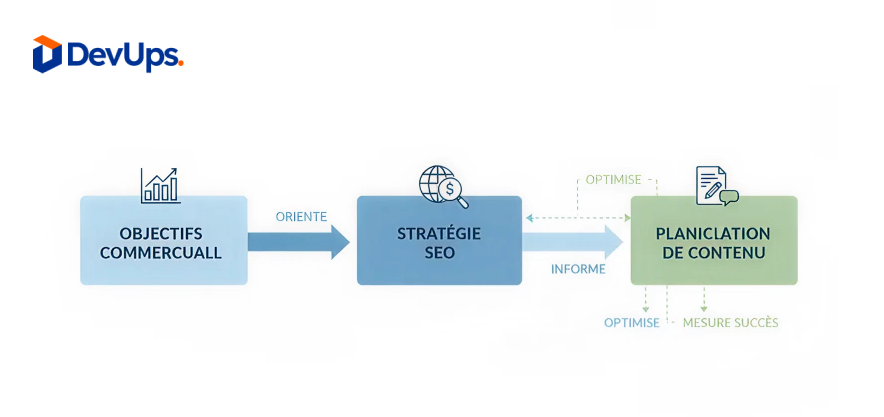
  • aligning content, SEO, and business objectives
  • selecting tools adapted to your organization
  • building a clear, sustainable methodology

👉 Discover our services

Conclusion

Building a strategic editorial calendar means shifting from reactive content creation to a structured, performance-driven approach. It is also a powerful lever for improving visibility, internal collaboration, and the impact of every publication.

In today’s demanding digital landscape, editorial strategy is a long-term competitive advantage.

👉 Need help structuring your editorial calendar? Contact DevUps

Low-code vs No-code: Key Differences

Low-code vs no-code? These two approaches are changing the way digital tools and applications are built. By reducing the need for traditional development, they allow teams to move faster, work more independently, and bring ideas to life with less time, cost, and friction.

But choosing between low-code and no-code isn’t as simple as it sounds. While the terms are often used interchangeably, they actually cover very different realities each with its own use cases, flexibility, and technical trade-offs.

So how do you know which one is right for your business? Let’s break down the key differences and help you choose the approach that truly matches your needs.

1. What is no-code?

No-code platforms allow users to create applications without writing any code. Everything is handled through visual interfaces, drag-and-drop components, and predefined logic blocks.

Key characteristics of no-code platforms

  • 100% visual development
  • Designed for non-technical users
  • Fast time-to-market
  • Limited customization for complex logic

Typical no-code use cases

  • Simple websites and landing pages
  • Internal tools (forms, dashboards, workflows)
  • MVPs and prototypes
  • Automation between apps

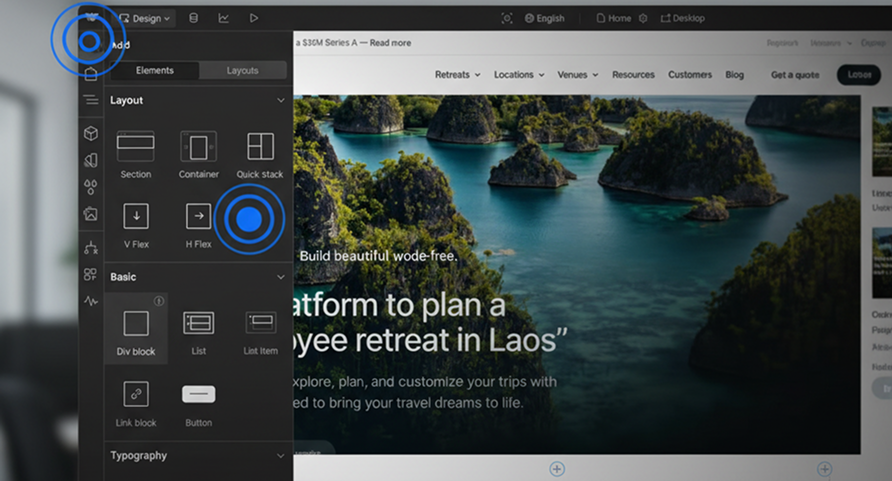
Examples: Webflow, Bubble, Airtable, Notion, Zapier.

👉 Further reading : Automate with zapier: manage your tasks without code

2. What is low-code?

Low-code platforms combine visual development with the ability to write custom code when needed.
They offer more flexibility and scalability while still accelerating development.

Key characteristics of low-code platforms

  • Visual builder with code extension
  • Requires basic technical knowledge
  • Greater customization and performance control
  • Better suited for complex systems

Typical low-code use cases

  • Business applications
  • Scalable web platforms
  • Complex workflows and integrations
  • Enterprise systems

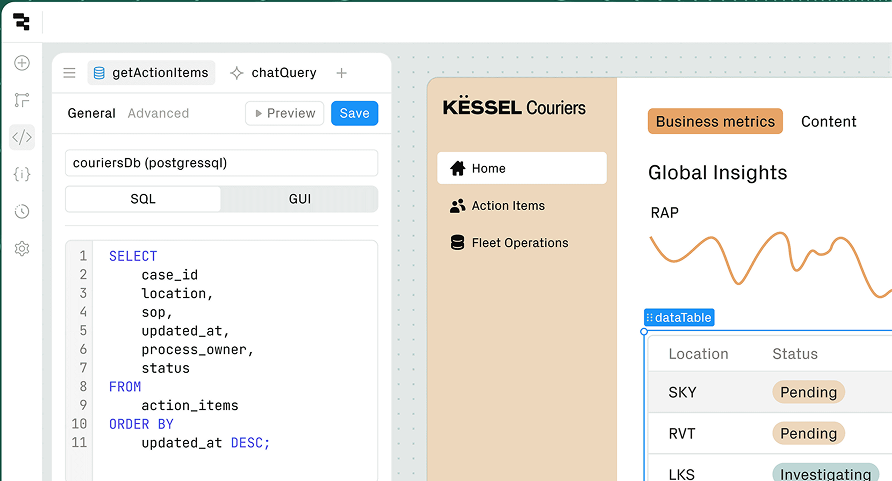
Examples: OutSystems, Mendix, Retool, Power Apps.cesses.

3. Low-code vs no-code: key differences

Target users

  • No-code: marketers, product managers, HR, operations
  • Low-code: developers, technical teams, hybrid profiles

Flexibility and customization

  • No-code is limited to platform capabilities
  • Low-code allows custom logic and integrations

Scalability

  • No-code works well for small to medium projects
  • Low-code supports larger, long-term systems

Maintenance and performance

  • Low-code offers better performance optimizations oublis.
  • No-code depends heavily on the platform

4. Choosing between low-code and no-code

The right choice depends on your business goals, technical resources, and scalability needs.

Choose no-code if:

  • You need speed and simplicity
  • Your project is lightweight or short-term
  • You have little or no technical resources

Choose low-code if:

  • You need customization and scalability
  • Your project involves complex logic or data
  • You want more control over performance

💡 In many cases, companies use both approaches together.

5. Business impact of low-code and no-code platforms

Both approaches help organizations:

  • Reduce development costs
  • Shorten delivery timelines
  • Improve collaboration between teams
  • Encourage innovation and experimentation

However, the wrong choice can lead to technical debt or platform limitations , which is why strategic thinking matters.

6. DevUps and low-code / no-code strategies

At DevUps, we help companies assess, select, and implement low-code and no-code solutions aligned with their growth strategy.

Our expertise includes:

  • Platform comparison and selection
  • Architecture and scalability planning
  • Integration with existing systems
  • Governance and security best practices

🎯 Goal: empower teams without sacrificing performance or control.

At DevUps, we help companies design and implement HR process automation tailored to their organization.

👉 Discover our services

Conclusion

Low-code vs no-code is not about choosing the “best” tool , it’s about choosing the right approach.
When used strategically, both can accelerate innovation and unlock new business opportunities.

At DevUps, we believe technology should adapt to your organization , not the other way around.

👉Need help choosing between low-code and no-code? Contact DevUps for expert guidance

Automating HR Processes: Concrete Use Cases

HR process automation has become a strategic lever for companies looking to gain efficiency, reduce operational costs, and improve the employee experience.
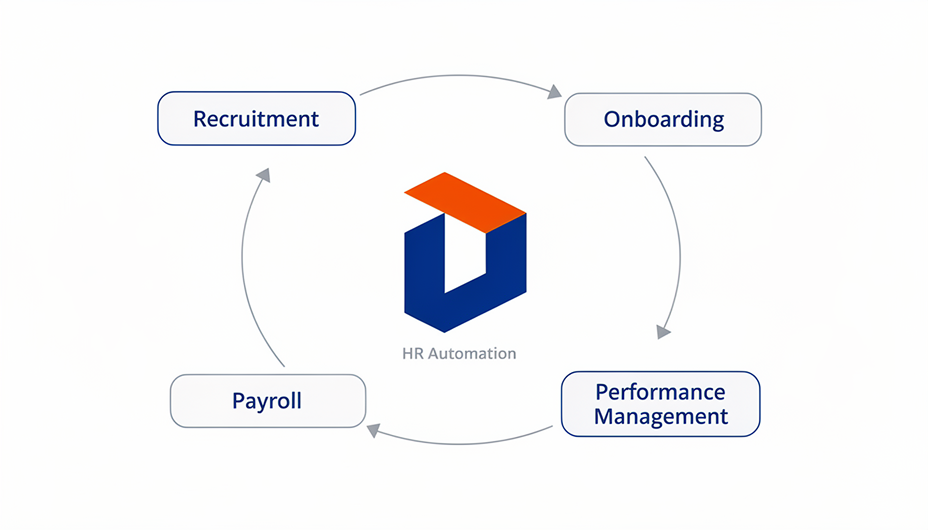
From recruitment to payroll and performance management, HR teams are increasingly relying on digital tools to automate repetitive tasks and focus on higher-value activities.

But what does HR automation really look like in practice? And which processes deliver the fastest and most measurable results?
Let’s explore concrete use cases that show how automation is transforming human resources.

1. Why automate HR processes?

HR departments handle a wide range of time-consuming and repetitive tasks. Automation helps structure workflows while improving reliability and scalability.

Key benefits of HR process automation

  • Reduced manual errors and administrative workload
  • Faster execution of recurring HR tasks
  • Better compliance with legal and regulatory requirements
  • Improved employee experience through smoother processes

Automation is not about replacing HR professionals — it’s about enabling them to focus on people, not paperwork.

👉 To be put into perspective with : The Role of RPA in Transforming Administrative Services

2. HR process automation in recruitment

Recruitment is one of the most impactful areas for automation.

Automated recruitment workflows include:

  • CV parsing and candidate screening
  • Automatic responses to applicants
  • Interview scheduling via calendar synchronization
  • Candidate scoring and pipeline tracking

By automating recruitment processes, HR teams can reduce hiring time while ensuring a consistent and unbiased evaluation process.

3. Automating employee onboarding

A structured onboarding experience is essential for employee engagement — and automation makes it seamless.

Common onboarding automation use cases

  • Automatic creation of employee accounts (email, tools, HRIS)
  • Digital contract signing and document collection
  • Task assignment for IT, HR, and managers
  • Onboarding checklists and progress tracking

Result: new hires feel welcomed, informed, and productive from day one.e, tout en réduisant les oublis.

4. Payroll and administrative HR automation

Payroll errors can quickly damage employee trust. Automation ensures accuracy and compliance.

Payroll automation examples

  • Automatic calculation of salaries, bonuses, and deductions
  • Leave and absence synchronization
  • Generation of payslips and legal reports
  • Secure archiving of HR documents

Automated payroll systems reduce risk while saving valuable time every month.ge opérationnelle et améliorent la fiabilité des données.

5. Performance management and HR process automation

HR process automation also supports long-term talent development.

Automated HR workflows include:

  • Performance review reminders
  • Goal tracking and evaluation forms
  • Employee feedback collection
  • Training and certification follow-ups

👉 To structure this approach : OKRs to manage your team: method, examples, free template

6. Tools enabling HR process automation

Modern HR automation relies on connected tools and platforms.

Common HR automation tools

  • HRIS platforms (BambooHR, Personio, Workday)
  • Workflow automation tools (Zapier, Make, Power Automate)
  • ATS and recruitment platforms
  • Document management and e-signature solutions

The key is integration: centralized data ensures smooth and scalable HR operations

👉 Further reading : Automate with zapier: manage your tasks without code

The challenge isn’t the tool itself, but its seamless integration into existing processes.

7. DevUps and HR process automation strategies

At DevUps, we help companies design and implement HR process automation tailored to their organization.

Our approach includes:

  • HR workflow analysis and automation mapping
  • Tool selection and system integration
  • Secure data management and compliance
  • Custom automation aligned with business goals

🎯 Objective: build efficient, scalable, and human-centered HR systems.

👉 Discover our services

Conclusion

HR process automation is no longer optional — it’s a competitive advantage.
By automating recruitment, onboarding, payroll, and performance management, companies gain efficiency while delivering a better employee experience.

At DevUps, we believe that smart automation empowers HR teams to focus on what truly matters: people.

👉 Contact DevUps to audit and optimize your HR workflows today.

How to choose the right collaboration tools for a high-performing team

In a professional environment where hybrid work, remote collaboration, and cross-functional teams have become the norm, choosing the right collaboration tools is now a strategic decision. The wrong tools slow teams down, create friction, and fragment information. On the other hand, a well-chosen toolset strengthens productivity, clarity, and team engagement.

However, with hundreds of platforms on the market, how can companies avoid tool overload and make choices that truly support their teams? This guide walks you through a structured approach to selecting collaboration tools that match real business needs.

1. Why collaboration tools are now essential

Digital transformation has fundamentally changed how teams work. Employees are no longer always in the same place, working at the same time, or using the same systems. In this context, collaboration tools play a critical role in:

  • enabling real-time and asynchronous communication
  • structuring teamwork and responsibilities
  • centralizing information and knowledge
  • maintaining transparency and team cohesion

Effective collaboration today depends as much on digital infrastructure as it does on human skills.on.

Identify your needs before choosing collaboration tools

Before comparing platforms, it is essential to understand how your organization actually works.

How to define your needs before choosing team collaboration platforms

Start by analyzing daily workflows, communication habits, and pain points. Tools should solve concrete problems not add complexity.

Team size and digital maturity

A five-person startup does not need the same tools as a 100-employee SME. Likewise, digitally mature teams can adopt more advanced platforms with ease.

Types of collaboration

  • Synchronous collaboration: meetings, instant messaging, video calls
  • Asynchronous collaboration: task tracking, documentation, validations

Nature of work

Marketing, technical, and management teams have different collaboration needs. Tools must adapt to roles not the opposite.

3.The main categories of collaboration tools

Understanding tool categories helps avoid duplication and confusion.

Collaboration tools for communication

Slack, Microsoft Teams, or Google Chat allow fast, structured conversations. However, they should not replace project management or documentation tools.

Team collaboration platforms for project management and tracking

Platforms like Jira, Trello, or Asana help teams track progress, prioritize tasks, and improve visibility.
👉 Related read: Using Jira to track project progress :

Collaboration tools for documentation and knowledge sharing

Notion or Confluence centralize knowledge and reduce information loss.
👉 Recommended : Discovering Notion for team management

Collaboration tools for automation and integration

Tools like Zapier connect platforms together and eliminate repetitive tasks.
👉 Learn more : Using Zapier to automate tasks without coding

4. Key criteria for choosing effective collaboration tools

Ease of use

If a tool is difficult to use, it will not be adopted. Good UX and clear onboarding are essential.

Interoperability

Your collaboration tools must work together to avoid information silos and manual duplication.

Security and compliance

Data protection, access control, and regulatory compliance are non-negotiable—especially for SMEs handling sensitive data.

Scalability and cost control

A good tool should support growth without forcing a complete system overhaul or unexpected cost increases.

5. Common mistakes to avoid when selecting collaboration tools

  • Adopting too many tools without a clear strategy
  • Choosing tools based on trends rather than needs
  • Underestimating training and change management
  • Imposing tools without team involvement

👉 Further reading: Mistakes to avoid during a digital transition

6. Ensuring successful adoption of collaboration tools

Even the best tools fail without proper adoption.

  • nvolve users early in the selection process
  • Provide hands-on training with real use cases
  • Document best practices clearly
  • Monitor usage and adjust when needed

A tool should become a habit not a constraint.

7. DevUps’ approach to collaboration tools

At DevUps, we help companies select and deploy collaboration tools based on real operational needs not marketing promises.

Our approach includes:

  • auditing existing tools and workflows
  • selecting interoperable and scalable solutions
  • automating workflows to reduce manual work
  • supporting change management and team training

🎯 The goal: fewer tools, better used.

👉 Discover also : Using Jira to track project progress
👉 read also : Optimize your site for search engines (SEO)

Conclusion

Tools become powerful performance drivers when they are chosen methodically. By analyzing real needs, avoiding tool overload, and supporting teams properly, companies can build a sustainable and efficient collaboration ecosystem.

At DevUps, we believe technology should serve people not the other way around.

👉 Contact DevUps to design and optimize your collaboration tool ecosystem for long-term team performance.

Optimizing Your WordPress Site with Bricks Builder

In today’s fast-moving digital landscape, optimizing your WordPress site with Bricks Builder is more than a design choice , it’s a strategic move. Bricks Builder combines performance, flexibility, and creative freedom to help you craft websites that look stunning and load at lightning speed.

Unlike bulky page builders such as Elementor or Divi, Bricks Builder is natively integrated into WordPress, giving you full control over both design and performance. You can build fast, lightweight, and fully customizable websites without writing a single line of code.

But what really makes Bricks Builder stand out? And how can you leverage it to take your WordPress website to the next level?

1. What Is Bricks Builder and Why It Matters

Bricks Builder is a visual page builder built on a modern architecture using Vue.js and native PHP, delivering a smooth, lightning-fast design experience.

Unlike other builders, Bricks renders the site directly from the theme, which significantly improves performance and reduces dependency on third-party plugins.

Key strengths:

  • Intuitive and fluid interface
  • Clean, lightweight HTML/CSS output
  • Compatibility with WordPress themes and plugins
  • Native integration with Custom Post Types, ACF, and WooCommerce
  • Full responsive design control (desktop, tablet, mobile)

💡 In short, Bricks combines the power of clean code with the simplicity of drag-and-drop giving you total control without the clutter.

2. Enhanced Web Performance for Better SEO

One of Bricks Builder’s biggest advantages lies in its technical performance.
Thanks to its optimized code generation, websites built with Bricks achieve above-average PageSpeed and Core Web Vitals scores.

Real-world results:

  • Up to 40% faster loading times
  • Fewer HTTP requests
  • Lighter code compared to Elementor or Divi
  • Better Google indexing due to cleaner structure

📈 A faster site improves not only user experience but also your SEO ranking.

👉 Also read : How to Boost Your WordPress SEO

3. Total Flexibility for Design and User Experience

Bricks Builder gives you unparalleled creative freedom allowing you to design fully customized interfaces without being limited by rigid templates.

Every element can be styled, animated, and adjusted precisely to create a strong visual identity that aligns perfectly with your brand.

Key features:

  • Pixel-perfect control over layouts
  • Global variables system (colors, typography, spacing)
  • Dynamic templates for blogs, portfolios, or product pages
  • Seamless integration with Figma and modern design systems

The result: a cohesive and consistent user experience across all devices.

4. Bricks Builder and Automation: Saving Time and Ensuring Consistency

For marketing and development teams, Bricks fits perfectly into a DevOps or no-code workflow.
Thanks to its dynamic templates, conditional logic, and compatibility with tools like JetEngine or ACF, you can automatically generate pages from centralized data.

Example use cases:

  • Centralized style management for consistent brand design
  • Automatic product page creation from WooCommerce databases
  • Dynamic project pages generated via ACF or internal APIs

👉 Also read : Using Jira to Track Project Progress

5. Business Impact: Conversion, Maintenance, and Scalability

A website built with Bricks Builder isn’t just visually appealing it’s a true business performance tool.

Tangible advantages:

  • Higher conversion rates thanks to faster loading times
  • Lower maintenance costs (fewer third-party plugins)
  • Easier scalability through modular structure
  • Seamless integration with analytics and CRM tools (Google Analytics, Matomo, HubSpot)

A Bricks-built site is designed to last, evolve, and perform, supporting long-term business growth.

6. DevUps and Bricks Builder: A Custom Approach to Digital Performance

At DevUps, we help companies create, optimize, and maintain WordPress sites powered by Bricks Builder.
Our mission is to deliver fast, beautiful, and marketing-aligned websites that drive measurable results.

Our services include:

  • Training internal teams on Bricks Builder
  • Technical audits and performance redesigns
  • Custom development (modules, API integrations, automation)
  • Design system implementation for brand consistency

👉 Explore our services : DevUps – Services

Conclusion

The digital world demands websites that are faster, smarter, and more personalized than ever.
Bricks Builder stands out as a powerful solution for those who want to combine technical performance, creative freedom, and operational efficiency.

At DevUps, we believe every web project deserves a strong and scalable foundation and Bricks is the perfect example of that philosophy.

💬 Ready to build your next-generation WordPress site?

👉 Contact DevUps today to audit and optimize your site for peak performance.

Digital Transformation in Healthcare: Challenges and Tools

Digital transformation is radically changing the healthcare sector. Once considered traditional and slow to evolve, it is now at the heart of a technological revolution. Artificial intelligence, robotics, telemedicine, and connected devices are redefining how care is delivered, analyzed, and coordinated.

But this shift is not just about technology; it also involves deep ethical, human, and organizational challenges. How can medical data remain secure? How can human relationships be preserved in an increasingly automated environment? And, above all, how can healthcare teams be trained to use these new technologies effectively?

1. Medical Data: The Driving Force of Transformation

Data has become the beating heart of modern healthcare. By centralizing and analyzing massive patient information, healthcare providers can:

  • Detect diseases earlier,
  • Personalize treatments,
  • Anticipate epidemic risks,
  • Optimize hospital management.

AI systems such as DeepMind Health, PathAI, and Owkin can analyze thousands of medical images in record time, enabling faster detection of cancers or cardiovascular diseases. These tools do not replace physicians; rather, they assist them, giving more time for direct patient care.cardiaques.
Ces avancées ne remplacent pas les médecins elles les assistent, leur donnant plus de temps pour se concentrer sur le soin humain.

👉 Related reading : The role of RPA in transforming administrative services

2. Better Coordination Through Interoperability

The biggest challenge of digital healthcare is not just technical it is organizational. Hospitals, clinics, and laboratories need to communicate smoothly and securely.

Electronic health records (EHRs) are a key step forward, but their efficiency depends on interoperability. In France, the Mon Espace Santé project aims to provide every citizen with a centralized, shareable medical record. Across Europe, harmonization initiatives aim to ensure that healthcare data can be exchanged without compromising security.

📌 For a structured approach : Creating a clear and complete requirements specification

3. Artificial Intelligence in Diagnosis and Prevention

AI is already omnipresent in healthcare. Tools like Aidoc (radiology) or Ibex Medical Analytics (pathology) accelerate image analysis and improve diagnostic accuracy.

Its potential goes further:

  • Predictive algorithms anticipate relapses or post-operative complications,
  • Medical chatbots, like those used in Australia, provide initial triage for patients,
  • AI-driven monitoring systems, connected to medical devices, adapt treatments in real time.

💡 Example: Some French hospitals are already using intelligent monitoring systems in ICUs to automatically detect vital anomalies.

4. Cybersecurity: A Critical Challenge for Digital Healthcare

Massive digitalization increases the risk of cyberattacks. In 2023, over 25 European hospitals were targeted by ransomware, temporarily paralyzing their systems.

To address this, it is essential to:

  • Store data on sovereign servers,
  • Use certified healthcare cloud solutions (like Infomaniak Health Cloud),
  • Strengthen cybersecurity training for medical staff.

Every link in the chain matters: from physicians to IT teams, vigilance must be collective.

5. Training Professionals: The Human Link in Transformation

Digital transformation will only succeed if users doctors, nurses, administrators are supported. Technology evolves quickly, but healthcare staff must keep pace with digital skills.

Training initiatives include:

  • Universities and engineering schools offering e-health master’s programs,
  • Hospitals developing digital simulation centers,
  • Startups providing microlearning modules for everyday tools.

The key is to place humans at the center of technology

👉 Deepen the topic : OKRs for managing your team

6. Inspiring Examples of Digital Transformation

  • Hôpital Foch (France): implemented an AI system for surgical planning, reducing waiting times by 30%.
  • CHUV (Switzerland): uses robotics to automate medication distribution and prevent human errors.
  • Mayo Clinic (USA): integrates genomic data into personalized treatments using AI.

These successes show that well-managed digital transformation can enhance care quality while reducing costs.

7. The Future of Connected and Digital Healthcare

By 2035, medicine will become increasingly predictive and personalized. Biometric sensors, surgical augmented reality, digital twins, and generative AI will enable continuous patient monitoring.

Yet the essential question remains: how can technology remain a tool in service of human care? Digital healthcare must support the patient-doctor relationship, not replace it.

8. DevUps and Digital Healthcare: An Integrated Vision

At DevUps, we support healthcare actors in their 360° digital transformation. Our interventions include:

  • Deploying secure cloud solutions,
  • Automating administrative processes via RPA,
  • Developing patient-facing platforms,
  • Integrating interoperable systems between hospitals and laboratories.

Our approach is built on three principles: security, efficiency, and human-centered support..

👉 Discover our services: : DevUps – Services

Conclusion

Digital transformation in healthcare opens immense opportunities: better care quality, optimized coordination, and broader access to preventive care. But it also requires vigilance in security, staff training, and ethics.

Public and private actors must work together toward connected, ethical, and inclusive healthcare. At DevUps, we believe in technology serving human well-being, where innovation and humanity go hand in hand.

👉 Contact DevUps to digitally transform your healthcare ecosystem with confidence .

Using Jira to track project progress

Jira project tracking has become a key practice for teams that want to stay organized, transparent, and results-driven. By combining flexibility with structure, Jira allows you to centralize information, monitor progress in real time, and anticipate risks before they become blockers.

In this article, you’ll discover how to set up Jira for smarter project tracking, what best practices to adopt, and how to unlock its full potential. With the right approach, Jira project tracking can transform the way your teams deliver results.

Why choose Jira for project tracking

Using Jira for project tracking offers tangible benefits:

  • Clear visibility into tasks and deadlines.
  • Better collaboration across teams.
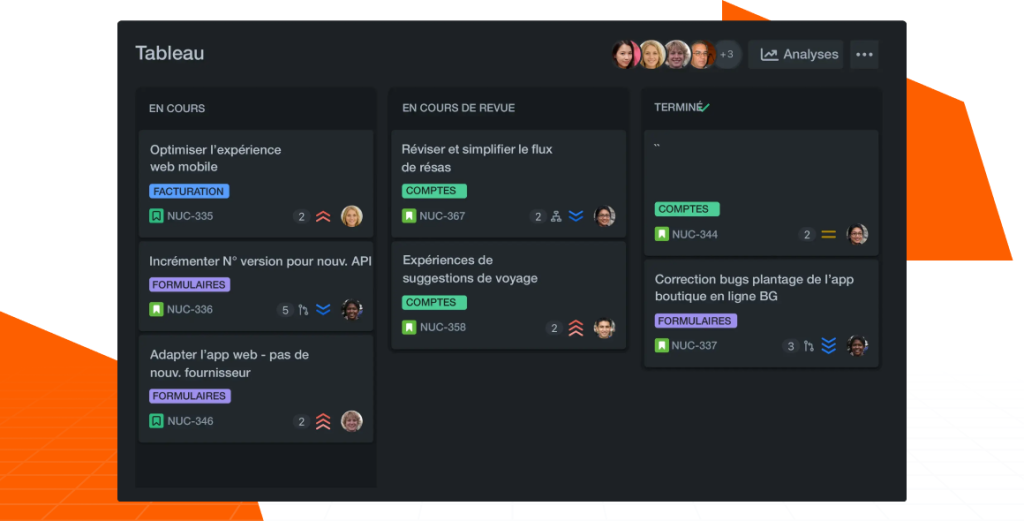
  • Customizable boards to visualize workflows.
  • Automated reports to support decision-making.

👉 If your team works in an agile framework, Jira is a powerful ally to manage sprints and retrospectives effectively : How to organize an effective agile sprint

Jira for project tracking-Devups

Setting up Jira for efficient tracking

The way you configure Jira determines how effective your project management will be.

  • Define workflows clearly: for example, “to do, in progress, done.”
  • Choose between Kanban or Scrum boards depending on your project type.
  • Assign roles and responsibilities so everyone knows who owns what.

When properly set up, Jira becomes a reliable foundation for smooth project execution.

Reports and insights in Jira project tracking

One of Jira’s biggest advantages lies in its reporting capabilities. The platform generates insights that help you:

  • Spot bottlenecks early.
  • Measure team velocity over time.
  • Compare planned vs. actual progress.

👉 For broader performance management, check out how to implement OKRs to guide your team

Automating workflows with Jira

Beyond dashboards and reports, Jira allows you to automate repetitive tasks. For instance:

  • Triggering alerts when deadlines are missed.
  • Automatically creating tasks based on rules.
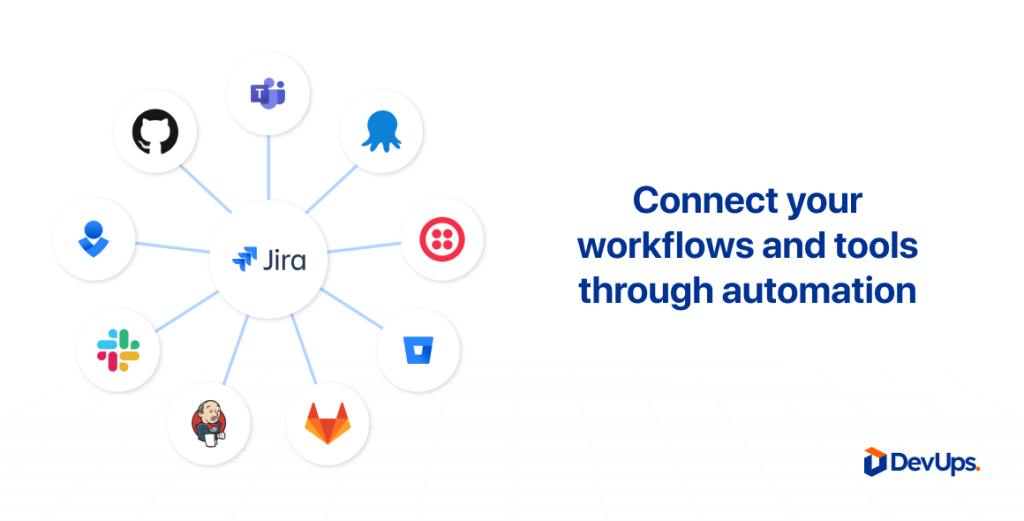
  • Syncing with other tools to streamline operations.

👉 You can even boost Jira with integrations. Read: Automating tasks with Zapier.

Automating workflows with Jira

DevUps approach to tracking projects in Jira

At DevUps, we don’t just implement Jira we design a project ecosystem around it.
Our approach includes:

  • Building clear dashboards for leadership and teams.
  • Integrating Jira with your existing digital tools.
  • Offering tailored support so workflows match your real business needs.

This way, Jira becomes not just a tracking tool but a strategic enabler for growth.

👉 See our expertise: DevUps – Services

Conclusion

Used the right way, Jira project tracking is more than task management. It’s about enabling better collaboration, automating workflows, and making informed decisions. By setting it up properly and adopting smart practices, you can unlock new levels of efficiency in your projects.

👉 Ready to take the next step? Contact DevUps