Digital transformation mistakes: how to avoid them with clarity

Digital transformation is no longer optional , it’s essential. But doing it wrong can cost you more than doing nothing at all. Without a clear plan, real adoption, or aligned execution, your transformation risks becoming a slow, expensive failure.

In this article, we break down the most common digital transformation mistakes, and how to avoid them with a structured, strategic approach. Whether you’re a business leader, head of digital, or innovation manager, this guide will help you make your transformation stick and scale.

📌 Starting your own transformation? Talk to a DevUps expert

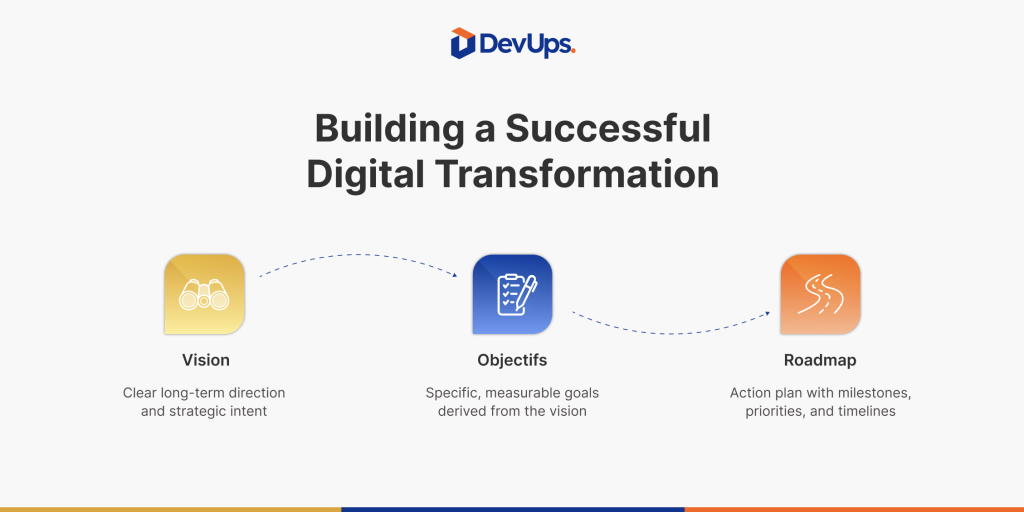
1. No clear digital strategy from the start

One of the biggest mistakes in digital transformation is starting with tools, trends, or pressure instead of purpose.

Without a shared vision and business-aligned goals, you’re likely to:

  • Launch scattered projects
  • Buy redundant tools
  • Lose momentum or team buy-in

💡 A successful transformation starts with strategic clarity, not tech shopping.

Related read: How to build a real digital roadmap
2. A critical digital transformation mistake: ignoring internal resistance

Digital tools may change fast but human habits don’t.

Ignoring the natural resistance to change often leads to:

  • Low adoption
  • Slower execution
  • Internal friction

Transformation is not just technical , it’s cultural.

👉 At DevUps, we integrate team alignment and change support into every phase. See how we work

3. Ne pas impliquer les utilisateurs finaux

Digital projects too often start at the top and forget the people on the ground.

When users aren’t involved:

  • Tools don’t fit the actual workflow
  • Adoption lags
  • Frustration grows

✅ The best digital decisions come from listening first. That’s why we always start with user interviews and collaborative workshops.

preventing digital transformation mistakes by involving end users -DevUps

4. Prioritizing tools over real needs

Buying a CRM or automating marketing is not a strategy.
It’s a reaction , unless it’s tied to a clearly identified, prioritized need.

❌ Don’t fall into the trap of “We need a tool.”
Start with: “What process needs to evolve, and why?”er le problème.

🔗 Want help selecting the right stack?: Explore DevUps digital solutions

5. Digital transformation mistake: ignoring tool integration

A major error we see is companies collecting tools that don’t talk to each other.

When systems aren’t integrated:

  • Data is duplicated or siloed
  • Workflows slow down
  • Automation becomes impossible

👉 A true transformation is systemic not just a pile of platforms.

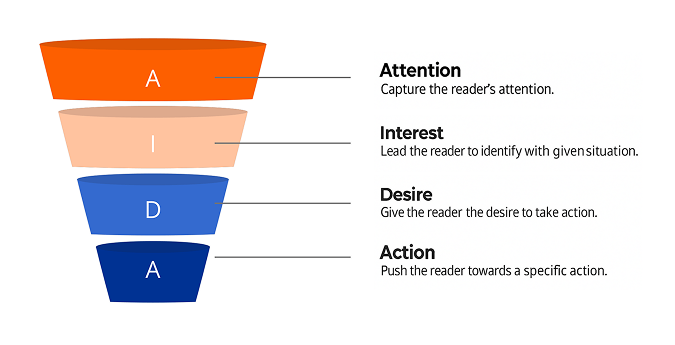
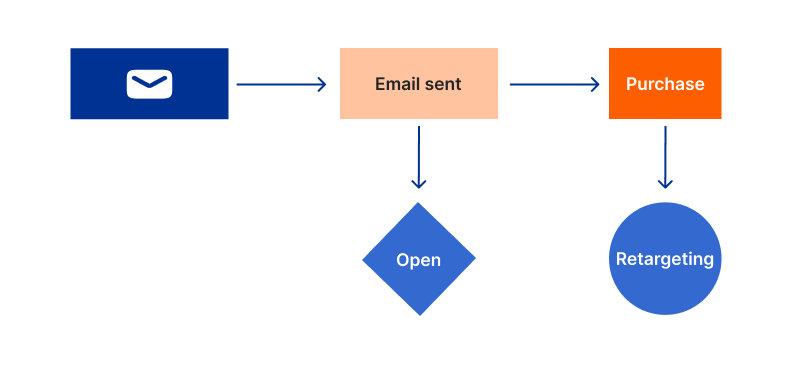
📘 Related blog : How to build a smooth conversion funnel

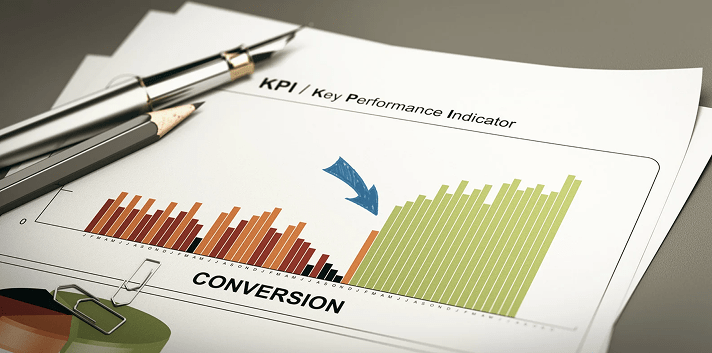
6. No KPIs = no real transformation

Trying to transform without clear metrics is like flying blind.

Every phase should have measurable indicators:

  • Adoption rate
  • User satisfaction
  • Time saved
  • ROI on tech investment

Transformation is iterative. What gets measured, gets improved.

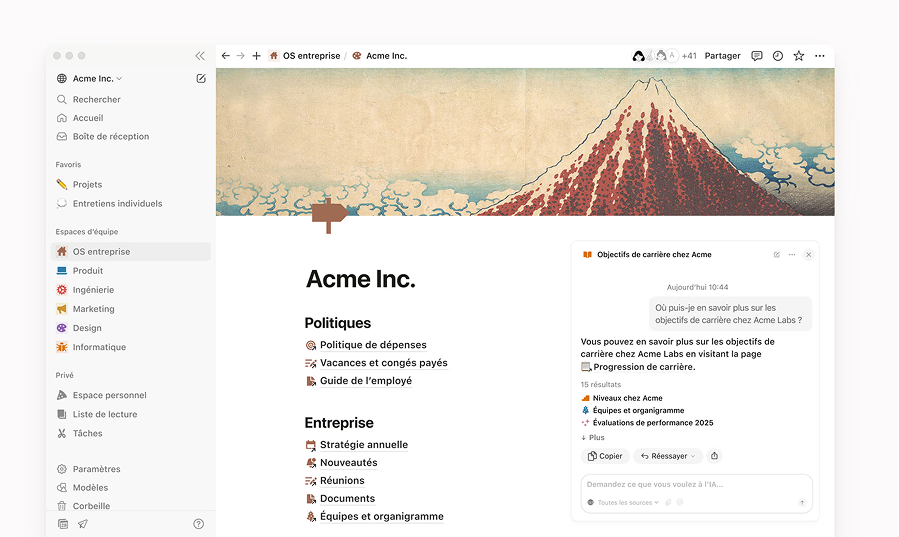
We help our clients build smart dashboards using Notion and custom KPIs.

7. Digital transformation that ends at launch = failure

One of the most expensive mistakes?
Stopping your support and iteration the moment the project goes live.

Without post-launch support:

  • Teams don’t get training
  • Bugs go unresolved
  • Tools stagnate

📌 At DevUps, we offer 3–12 month post-launch support plans with continuous roadmap updates..

What we do at DevUps

We don’t sell digital tools.
We help you design, build and grow your digital ecosystem without falling into the classic traps.

Our method includes:

  • Strategy + discovery workshops
  • Roadmap co-creation
  • Tech integration with agility
  • UX/UI design, automation, content
  • Ongoing coaching and optimization

Conclusion

Conclusion

A successful digital transformation doesn’t come from buying tools or launching projects.
It comes from alignment, structure, and continuous support.

By avoiding these mistakes, you give your company a better chance to grow without chaos.

📩 Want help diagnosing or designing your transformation?Contactez nos experts
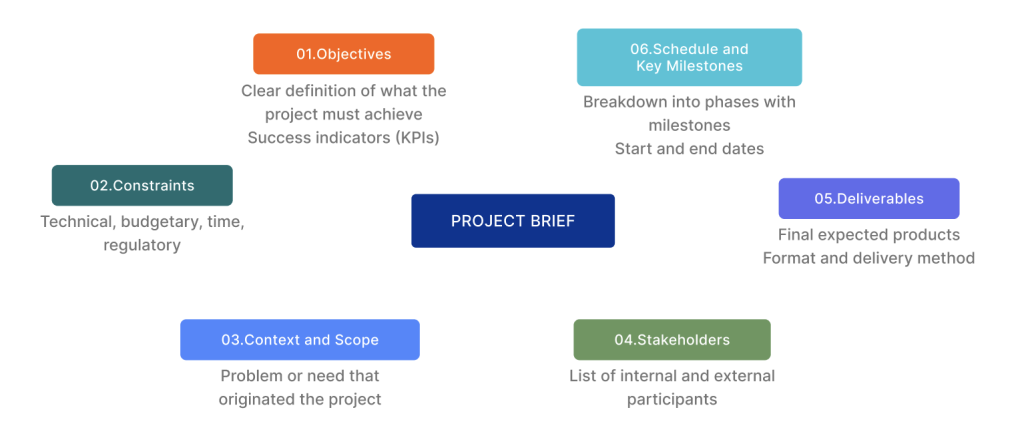
Create a clear and comprehensive project brief

Creating a project brief is one of the most critical — and most overlooked — steps in launching a digital project. Whether you’re building a website, redesigning a platform, developing a new app, or integrating a CRM, a good project brief can save your team weeks of back-and-forth and prevent costly miscommunication.

But not just any document will do. A truly effective project brief aligns strategy, technical expectations, timelines, budget, and deliverables — all in one clear, structured, and collaborative file.

In this article, you’ll learn exactly how to write a project brief that works — for your team, your developers, your designers, and your stakeholders. This is the method we use at DevUps with our clients across digital transformation projects.

📌 Initiating a web or technology project? Contact DevUps to begin with a solid project framework

1. What is a project brief?

A project brief is a foundational document that outlines the scope, goals, constraints, and success criteria for a project. It’s often the bridge between an idea and execution.

It’s used to:

  • Clarify what needs to be done and why
  • Align internal and external teams
  • Define deliverables, milestones, and timelines
  • Set expectations around budget and technical limits

2. Why is it essential?

Skipping the brief or doing it halfway leads to:

  • Misaligned priorities
  • Delayed timelines
  • Scope creep
  • Missed expectations
  • Burned-out teams

💡 If your project involves multiple vendors, developers, or decision-makers, a strong brief is your insurance policy.

📘 Related post : Digital transformation roadmap in 5 proven steps

3. Les éléments indispensables d’un bon cahier des charges

Voici les sections à intégrer, dans une spécification projet structurée :

3. What to include in a complete project brief

Here’s what every effective project brief should contain:

3.1 Project context and goals

Start with the “why.”

  • Who are you as a business?
  • What problem is this project solving?
  • What will success look like?

Example:

The goal is to launch a mobile-first B2C e-commerce platform that increases conversion by 40% in the next 6 months.

3.2 Stakeholders and communication

Map out:

  • Who is involved
  • Who approves what
  • Communication channels (Slack, email, weekly reviews)

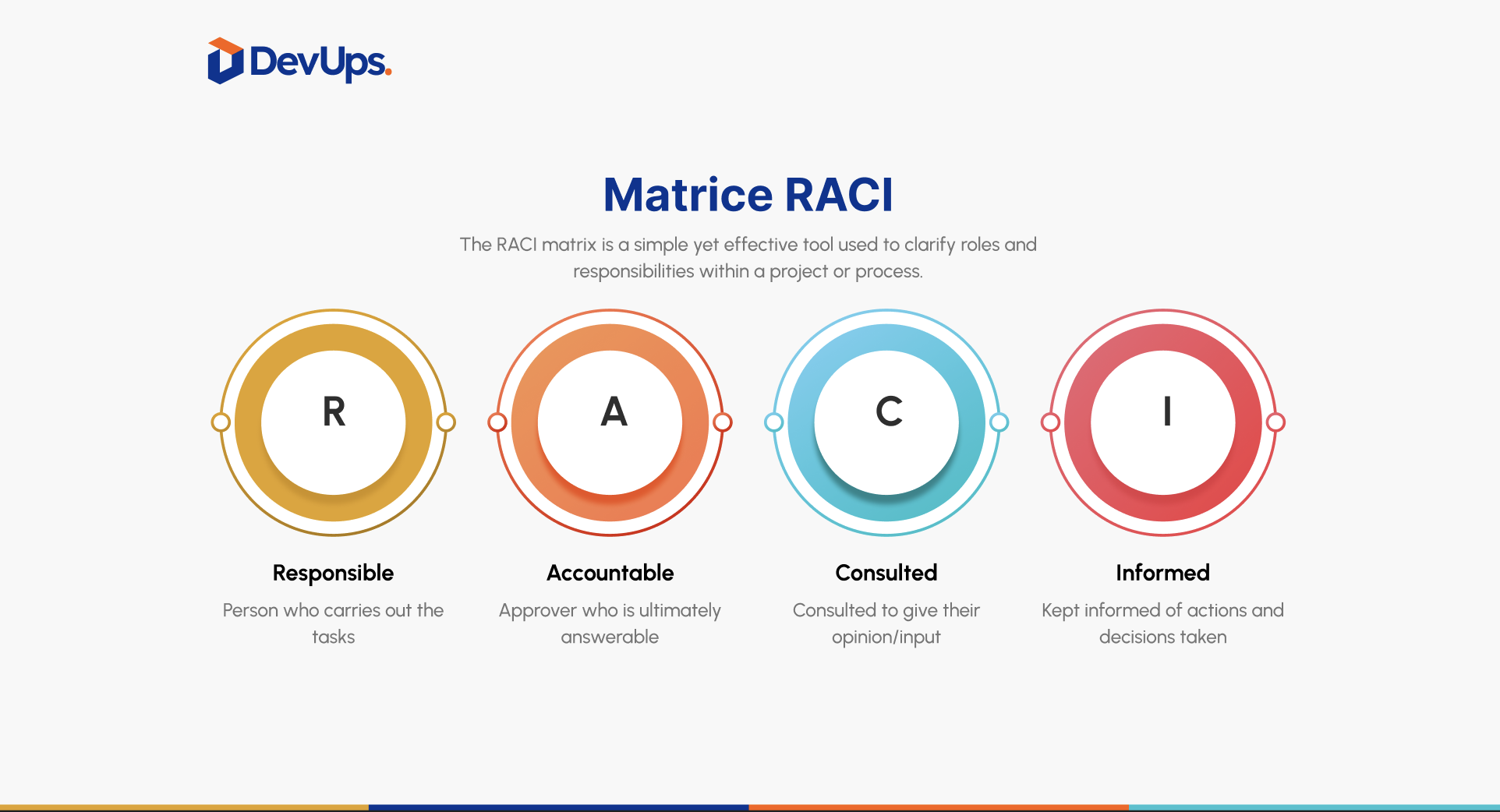
🎯 Including a well-structured RACI chart in your specifications document can help ensure smooth and efficient collaboration.

3.3 Functional and technical requirements

Detail:

  • Expected features (forms, dashboards, filters, payments)
  • Tech stack or tools to use
  • Any limitations (security, legal, data)

3.4 Deliverables and milestones

Structure the delivery:

  • Break down into phases (UX, UI, development, testing, go-live)
  • Assign timeline estimates to each
  • Define review points

📌 Don’t forget to clarify what “done” means for each phase.

3.5 Budget and resources in your project brief

Even a rough estimate helps the team calibrate what’s realistic.

Include:

  • Estimated budget (total or by phase)
  • Internal team availability
  • Billing preferences, licensing, or external fees

At DevUps, we assist you in structuring this document, whether your budget is limited or scalable.

Want help scoping your budget smartly? See how DevUps structures modular projects

4. Common mistakes to avoid in a project brief

Here’s what we’ve seen kill momentum before projects even start:

  • Being too vague (“modern and intuitive website”)
  • Forgetting technical limitations or compliance (GDPR, accessibility)
  • Leaving out key voices early on
  • Writing a brief that’s too rigid
  • Not prioritizing user experience

Looking for an external perspective on your brief?

📩 We offer a free review and constructive feedback.

5. How DevUps helps you structure the perfect project brief

Our process isn’t just about writing documents. It’s about turning your strategy into a roadmap that’s actually executable.

Here’s what we do:

  1. Discovery workshops with your team
  2. Roadmap planning by sprint or feature group
  3. Functional specs and user stories
  4. UX flows, wireframes, and content architecture
  5. Shared tracking via Notion or Trello

💡 We transform this scoping phase into a powerful driver of alignment and operational excellence.

Conclusion

A clear and complete project brief is the difference between chaos and clarity, between wasted time and momentum. It gives your team alignment, your partners direction, and your stakeholders confidence.

If you don’t know where to begin — we do.Talk to our experts at DevUps

Effective conversion funnel steps to increase conversions in 2025

An effective conversion funnel turns cold visitors into warm leads and leads into loyal customers in a predictable and measurable way.

But most funnels either leak, stagnate, or confuse the user.

At DevUps, we help brands design strategic, modular, and automated funnels that don’t just generate clicks they generate results.

Here’s our 5-step method to build a funnel that works in real life not just on paper.

1. Attract Qualified Traffic

Focus on quality over quantity

Your funnel starts before the first click — with your traffic source.

The goal isn’t just “more visitors”, but the right visitors, who have real interest and buying intent.

🎯 Channels that feed strong funnels:

  • SEO (organic visibility on strategic keywords)
  • Paid ads (Google Ads, Meta, LinkedIn)
  • Partnerships or affiliate sources
  • Organic content or community traffic

💡 Every traffic source should point to a dedicated landing page, not your homepage.

You can also check : WordPress SEO guide on Medium

2. Capture attention and data at the top of your effective conversion funnel

Give before you ask

The true start of your funnel is data capture — when a visitor turns into a lead.

But to earn an email address, you must offer something valuable.

Use smart conversion tools:

  • Lead magnets: checklist, calculator, ebook, free mini-course
  • Clear, frictionless forms
  • Landing pages with 1 goal, 1 message, 1 CTA

💡 A great lead magnet solves a micro-problem in 10 minutes or less..

3. Nurture leads effectively within your conversion funnel

Don’t push the sale — earn it

After capturing the lead, your job is to educate, qualify, and build trust.

Funnel elements for this stage:

  • Automated email sequences with high-value content
  • Retargeting ads (Facebook, YouTube, LinkedIn)
  • Interactive nurturing like quizzes, webinars, or lead scoring

4. Convert Leads Into Paying Customers

Remove every friction point

At this point, the lead is warmed up. The job of your funnel now is to make saying YES easy.

Key elements that boost conversion:

  • Focused sales page, written for outcomes
  • Clear pricing, trust badges, guarantees
  • Testimonials, social proof, and client logos
  • Time-sensitive bonuses or simplified offers

💡The job of your offer page: reduce hesitation and increase clarity.

At DevUps, we A/B test each key stage in our clients’ funnels to optimize conversion rates over time.

5. Retain customers to scale your conversion funnel results

Post-sale is part of the funnel too

The funnel doesn’t stop at the sale — it loops.

What to implement after purchase:

  • Thank-you sequence + onboarding
  • Cross-sell and upsell flows
  • Feedback loops, referrals, loyalty rewards
  • Re-engagement emails and smart segmentation

Track KPIs like: repeat purchase rate, NPS, customer lifetime value, referral rate

How DevUps Builds Full-Funnel Growth Systems

At DevUps, we don’t just build landing pages or email flows.
We engineer full conversion ecosystems — customized, measurable, and scalable.

Our 5-layer conversion funnel model:

  1. Multi-channel targeted traffic
  2. Landing page + lead magnet
  3. Nurturing + CRM + automation
  4. Sales conversion page (A/B tested)
  5. Post-purchase loyalty loop

We combine this with:

  • SEO strategy and content marketing
  • CRM automation and lead scoring
  • UX/UI design tailored to conversion
  • Custom web development with performance tracking

Let’s design your full-funnel system with DevUps :Free consultation

Conclusion

An effective conversion funnel isn’t just a few pages and email templates.
It’s a system — a growth machine that guides users step by step from interest to action to advocacy.

And when done right, it becomes the most reliable source of sales and growth your business has.

👉 Ready to stop guessing and start converting with clarity?Request your conversion funnel audit now

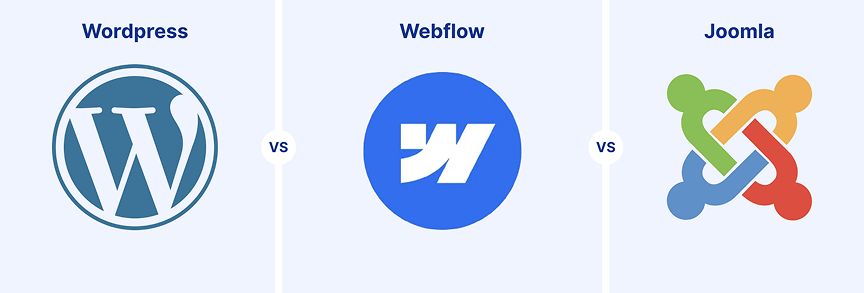
Cms comparison 2025: wordpress vs webflow vs joomla

Your Content Management System (CMS) is the backbone of your website — and your digital brand.

In 2025, businesses no longer ask if they need a CMS. The question is which CMS best fits their goals, structure, and growth strategy.

Choosing the wrong platform can cost you:

  • Money (licensing, development, migration)
  • Time (slow updates, lack of scalability)
  • Frustration (limited flexibility, poor UX, SEO issues)

This detailed CMS comparison will help you confidently choose between WordPress, Webflow, and Joomla based on:

  • Ease of use
  • Customization and design freedom
  • SEO & performance
  • Security
  • Hosting and long-term costs

At DevUps, we help companies select, implement, or migrate CMS platforms that actually fit their teams and ambitions — not just what’s popular.

1. CMS Overview at a Glance

Here’s a quick snapshot of what these 3 platforms are built for:

CMSTypeUser BaseUse Case Purpose
WordPressOpen-source43% of the webFlexible and widely extensible
WebflowSaaS (closed)Designers & foundersPixel-perfect, no-code design
JoomlaOpen-sourceInstitutions, governmentsStructured, modular web systems

2. Ease of Use: Setup & Learning Curve

CMSProsCons
WordPressEasy to set up, wide plugin ecosystemPlugin clutter, security risks if unmanaged
WebflowVisual builder, modern UIRequires some HTML/CSS structure knowledge
JoomlaModular content model, multilingual readySteeper learning curve, dev-oriented

Choose WordPress if you want simplicity with flexibility.
Choose Webflow if your team values visual control.
Choose Joomla if you need strong user permission systems or government-level modularity.

3. Design Flexibility & Customization

CMSTemplate AvailabilityDesign FreedomResponsive Design
WordPress10,000+ themesHigh (with Elementor, etc.)✅ Yes
WebflowFull design controlPixel-perfect customization✅ Yes
JoomlaModerateGood (with extensions)✅ Yes

Webflow wins for design-driven brands who need precision.
WordPress is ideal when combining templates + builder plugins.
Joomla works best for structured portals, intranets, and public services.

4. SEO, Performance & Security

FeatureWordPressWebflowJoomla
SEOExcellent (with plugins like Yoast)Clean output, SEO-readyDecent, needs tuning
SpeedVaries by theme & hostFast by design, CDN built-inAcceptable, but less optimized
SecurityPlugin risk if unmanagedClosed system, safer by defaultNeeds regular admin monitoring

Read:How to optimize your SEO on WordPress

5. Cost, Hosting & Maintenance

CMSUpfront CostHosting NeedsMaintenance Responsibility
WordPressFree (core)Any providerFully your responsibility
WebflowPaid plan requiredHosting includedManaged by Webflow
JoomlaFree (core)Any providerYou manage everything

WordPress is budget-friendly but requires hosting + plugin management.
Webflow is more expensive but easier to maintain.
Joomla is free to start but needs more tech support.

DevUps Recommendation (And What We Actually Do)

La réussite passe par les utilisateurs, pas les logiciels

We don’t just recommend tools.
We help you choose, build, integrate and scale your CMS as a digital engine — part of your wider ecosystem.

What We Recommend:

  • Use WordPress for small businesses, SEO-heavy sites, or rapid MVPs
  • Use Webflow for visually-driven brands and design autonomy
  • Use Joomla for structured, multilingual, or institution-level platforms

What We Offer at DevUps:

  • CMS audits + platform selection workshops
  • Migration plans (Joomla → Webflow, WP → Webflow, etc.)
  • Custom UI/UX design + SEO-ready setup
  • 9 divisions covering content, CRM, automation, UX, dev, and more
  • Continuous roadmap updates after launch

Your CMS is just one layer of your transformation.
To connect all the dots — tech, team, traffic and tools — start here:

Read our guide :How to Build a Real Digital Transformation Roadmap in 5 Proven Steps

Conclusion

No CMS is objectively better.
The right choice depends on:

  • Your business model
  • Your internal skills
  • Your growth goals
  • The kind of autonomy vs support you need

A CMS is not just a platform. It’s a foundation for scaling content, conversion, UX, and customer success.

At DevUps, we help you find the CMS that matches your vision — and build everything around it.

👉 Ready to choose (or migrate) the right CMS?Book your CMS audit with DevUps

How to Build a Real Digital Transformation Roadmap in 5 proven steps

Digital transformation isn’t about adding tools.
It’s about rethinking how your business delivers value in a fast-changing digital economy.

Yet many companies start with tech — a new CRM, a redesigned website, a marketing automation tool — but end up fragmented. Tools don’t talk to each other. Teams don’t adopt them. Business goals stay disconnected from digital systems.

That’s why you need a structured digital transformation roadmap — a sequence of strategic, technical, and cultural actions that lead to real change.

At DevUps, we’ve helped scale-ups, SMEs, and mid-size enterprises go from scattered digital attempts to fully operational digital ecosystems. This guide shares the 5-step framework we use — one that turns transformation from abstract buzzword into measurable progress.

If you’re ready to future-proof your business and scale operations with clarity, this is where to start.

1. Assess Your Current Digital Maturity

Know your starting line before building anything

Every roadmap starts with a diagnosis.

Ask:

  • What digital tools are currently in place?
  • Which processes are manual vs. automated?
  • How digitally mature are your teams?
  • What are your business goals over the next 12–18 months?

A digital maturity assessment gives you visibility into what’s working, what’s missing, and what’s worth improving.

2. Define a Shared Vision (Not Just Features)

Transformation fails without alignment

The second most common failure in digital projects? No clear direction.

Start by aligning:

  • Business outcomes (cost savings, growth, better UX)
  • Scope: full transformation vs. priority departments
  • Stakeholders: who must be involved (leadership, IT, ops, sales)?

At DevUps, we run strategic workshops that align stakeholders, define short- and long-term goals, and connect every initiative to KPIs.

No roadmap survives without a shared definition of success.

3. Choose Tools that Serve Your Strategy

Tech should fit your needs. Not the other way around.

Companies often fall into “tool-first” traps — adopting flashy platforms before clarifying what they actually need.

A real digital transformation roadmap defines capabilities first, then selects tools that match:

Must-have platforms:

  • CRM (for lifecycle automation)
  • ERP (for operational scalability)
  • CMS, cloud apps, automation, no-code stacks
  • API-ready and modular tools

Involve your future users during the selection phase to avoid adoption issues later.

Read :How to choose the right CRM for your team

4. Manage Change and Drive Team Adoption

Tools don’t transform your company. People do.

Digital projects succeed or fail not because of code — but because of culture.

To make your roadmap succeed:

  • Train teams by role and workflow
  • Communicate clearly and regularly
  • Set usage and adoption goals
  • Identify internal “digital champions”
  • Collect and act on user feedback quickly

At DevUps, we include personalized onboarding flows in every roadmap deployment.

See : How to Evaluate Your Company’s Digital Maturity

5: Measure, Iterate, Evolve

H3 – Transformation is not a one-time event

Too many digital projects stop after the first release. But the real transformation starts with measurement.

What to track:

  • Adoption rate per tool or department
  • Productivity gains (hours saved, task automation)
  • Customer or employee satisfaction
  • Operational cost vs ROI

Every 90 days, you should review, reprioritize, and evolve your roadmap.s bilans tous les 90 jours.

What DevUps Brings to Your Digital Transformation

We’re not just an agency. We’re your digital ecosystem partner.

DevUps is a modular digital operating system designed to help companies build, scale, and sustain transformation from idea to execution.

Whether you’re launching your first CRM, automating workflows, or scaling a product ecosystem, we bring 3 layers of value:igitaux sur-mesure, pour que chaque brique serve votre croissance, aujourd’hui et demain.

What Makes Us Different

  • Full-lifecycle support: From strategy to implementation to optimization
  • 9 Divisions. 45+ Modules. (Strategy, Design, Dev, CRM, Automation, Innovation…)
  • Custom-built digital roadmaps (90-day sprints + annual roadmap)
  • Hybrid team model: Our core experts + certified external partners
  • Built-in analytics & dashboards: Measure every step of the way

We don’t just sell services.
We co-create systems — tailored, scalable, and designed to make your business more autonomous, efficient, and future-ready.

Discover our method and divisions

Conclusion

Digitaliser son entreprise est un voyage. Un défi. Une opportunité.

Ce voyage ne doit pas être improvisé, mais guidé par une roadmap solide, claire, mesurable et humaine.

En appliquant ces 5 étapes, vous maximisez vos chances de :

  • réduire les coûts
  • gagner du temps
  • augmenter l’engagement
  • faire évoluer votre modèle économique

Chez DevUps, nous sommes prêts à marcher à vos côtés dans ce voyage.

Want to build your roadmap with expert support?

Book a free digital roadmap session with DevUps

How to Run an Agile Sprint Effectively

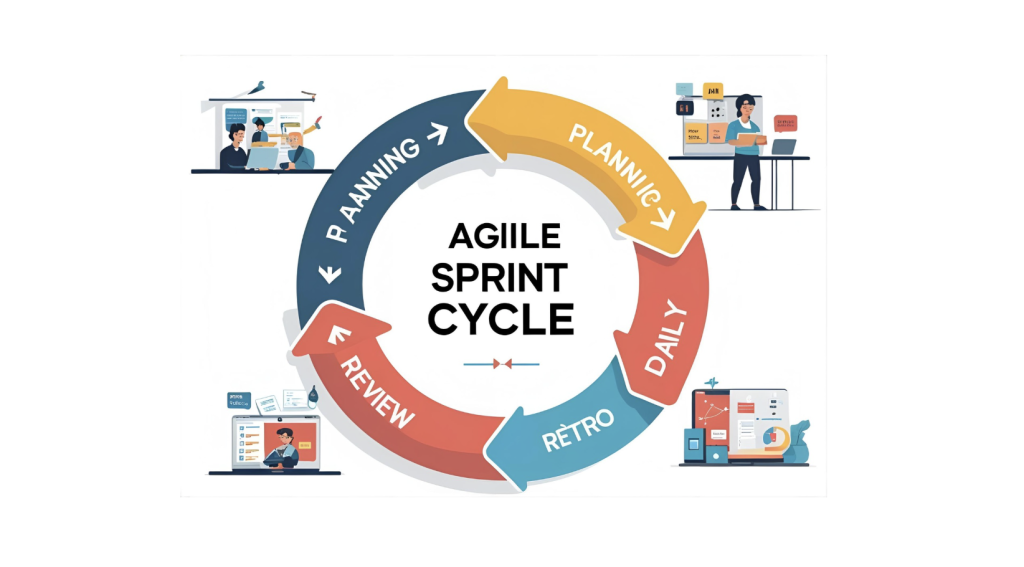
A sprint is the heartbeat of any agile team. Done wrong, it leads to stress, confusion, and misaligned goals. But when you run an agile sprint effectively, it becomes a powerful rhythm of focus, delivery, and growth.

At DevUps, we help teams build high-performing, agile delivery systems — sprint by sprint.

Why Running Agile Sprints Effectively Matters

When done well, agile sprints:

  • Turn ideas into outcomes
  • Improve transparency across teams
  • Create momentum and motivation
  • Enable consistent iteration and learning

Running an agile sprint effectively = sustainable team performance.

Step 1: Prepare Like a Pro

Planning is everything

Start strong by preparing:

  • A prioritized and refined backlog
  • Clear sprint goals aligned with business needs
  • Realistic team capacity
  • A time-boxed Sprint Planning meeting

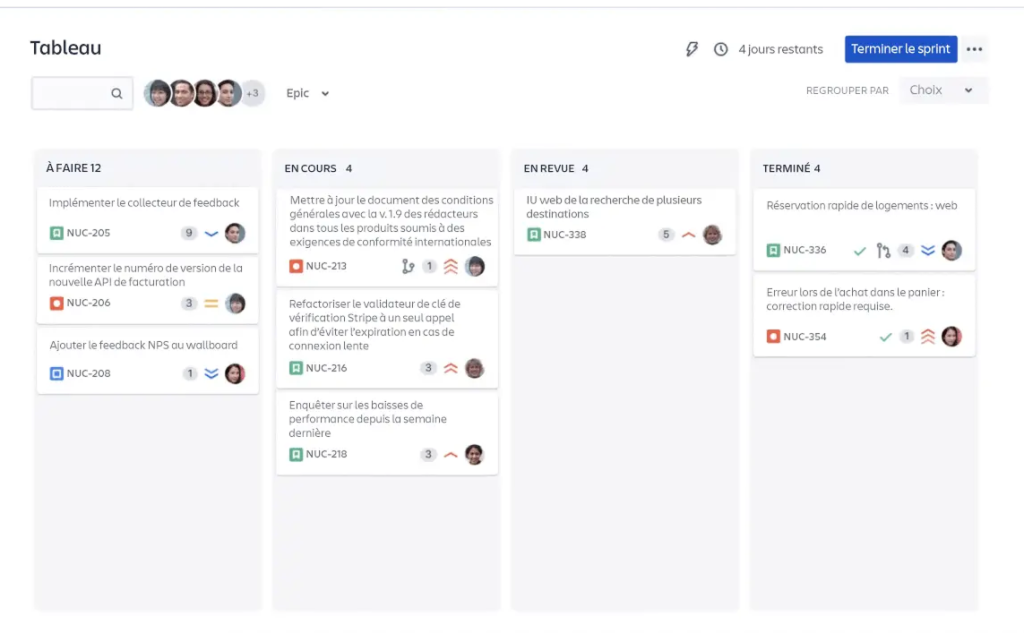
Conseil : utilisez un outil visuel (Notion, Jira, Trello) partagé en amont pour gagner du temps.

Étape 2 : Bien définir les rôles (et les respecter)

Alignment reduces friction

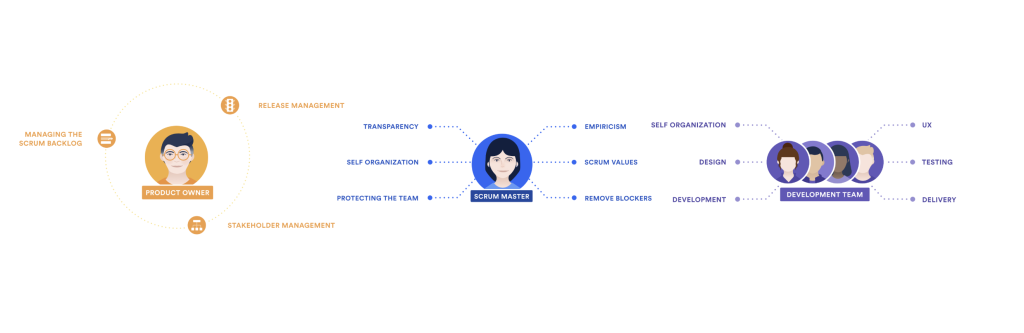
Each sprint needs:

  • A Scrum Master to facilitate
  • A Product Owner to drive business value
  • A committed Dev Team to deliver

Having clearly defined roles is essential to run an agile sprint effectively — not just follow ceremonies.

Step 3: Daily Syncs Keep It on Track

The Daily Stand-up

A 15-minute daily meeting should:

  • Surface blockers
  • Align focus
  • Reinforce accountability

Use visual tools Jira, Trello or Notion to track progress transparently.

See also : Notion for agile sprint management

Step 4: Close with Value and Reflection

Sprint Review + Retrospective

  • Sprint Review = present what’s done + collect feedback
  • Retrospective = discuss what went well, what to improve, and how

This is where the team transforms — not just the product.

Bonus : How We Organize Async Collaboration in a Fully Remote Team

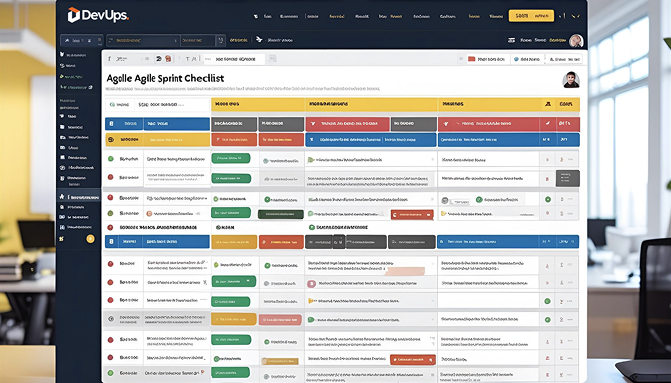
DevUps Sprint Checklist

Our in-house checklist for every sprint:

  • Groomed backlog
  • Clear sprint objective
  • Planning synced across roles
  • Updated task board
  • Scheduled review + retro

Conclusion

To run an agile sprint effectively, you need more than rituals — you need clarity, communication, ownership, and rhythm.

👉 Ready to level up your agile practice?Contact us

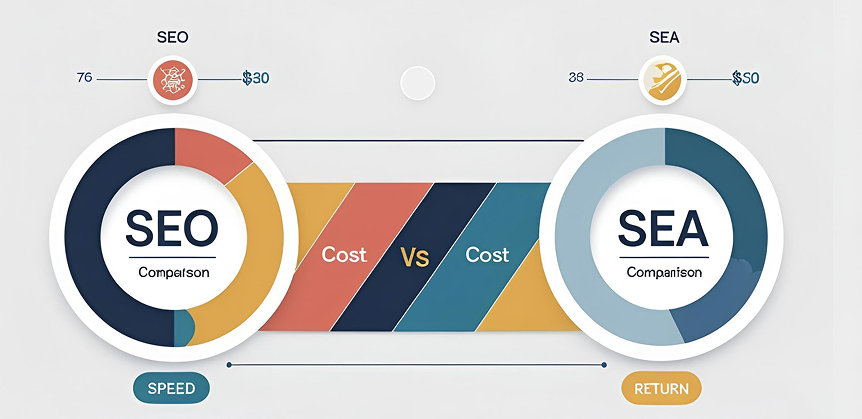
SEO vs SEA: Should You Choose or Combine in 2025?

SEO vs SEA — do you really have to pick one?

❌ Not anymore.

When used together strategically, Search Engine Optimisation (SEO) and Search Engine Advertising (SEA) can unlock exponential traffic growth.

Let’s explore how and when to use each — and why the smartest move is to combine them.

Choosing between SEO vs SEA can significantly impact your marketing ROI, timelines, and acquisition strategy.

1. What’s the Difference?

SEO = long-term trust

  • Based on content, technical SEO, user experience
  • Builds organic traffic over time
  • Generates ROI with lower long-term cost

Need more clarity? Our blog breaks it down step by step. Seo: the fundamentals for 2025

SEA = instant visibility

  • Google Ads = immediate top positions
  • CPC-based, great for promotions
  • Full control over timing + targeting

2. SEO vs SEA: Should You Choose or Combine in 2025?

Use SEO if…

  • You want to build credibility
  • You have high-quality content
  • You’re in it for the long haul

Use SEA if…

  • You’re launching something new
  • You want leads fast
  • You’re testing keywords or messaging

3. Why Combine Both?

These 5 strategic benefits show why combining SEO and SEA works best:

  1. Test keywords via SEA → build long-term content via SEO
  2. Dominate search results with double presence
  3. Fill in SEO gaps for competitive keywords
  4. Speed up lead generation while SEO ramps up
  5. Analyse combined data to improve your overall ROI

4. DevUps Hybrid Method

We’ve helped dozens of companies unify their search strategy:

  • Keyword + content mapping
  • Google Ads + SEO campaigns aligned
  • Cross-channel dashboards + reporting

Goal: Every paid click supports your long-term growth.

5. Measurable Growth

SEA = fast traffic.
SEO = sustainable authority.

Together, you get scalable acquisition.

Conclusion

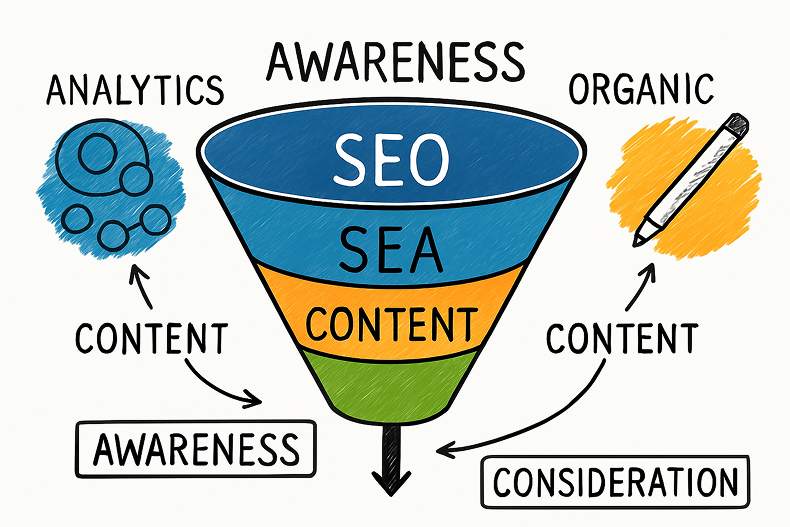
In short, SEO vs SEA isn’t a battle , it’s a strategic choice. When used together, they build momentum: SEO for organic, long-term growth; SEA for rapid testing and lead generation. The smartest brands align both in an integrated funnel.

You don’t have to choose.

Build a unified, profitable digital engine with both SEO and SEA — driven by insight, not guesswork.

Book your SEO + SEA audit with DevUps

Why Choose a Headless CMS in 2025?

For years, WordPress and similar traditional CMS platforms ruled the digital world. But in 2025, speed, agility, scalability, and omnichannel experiences are non-negotiable.

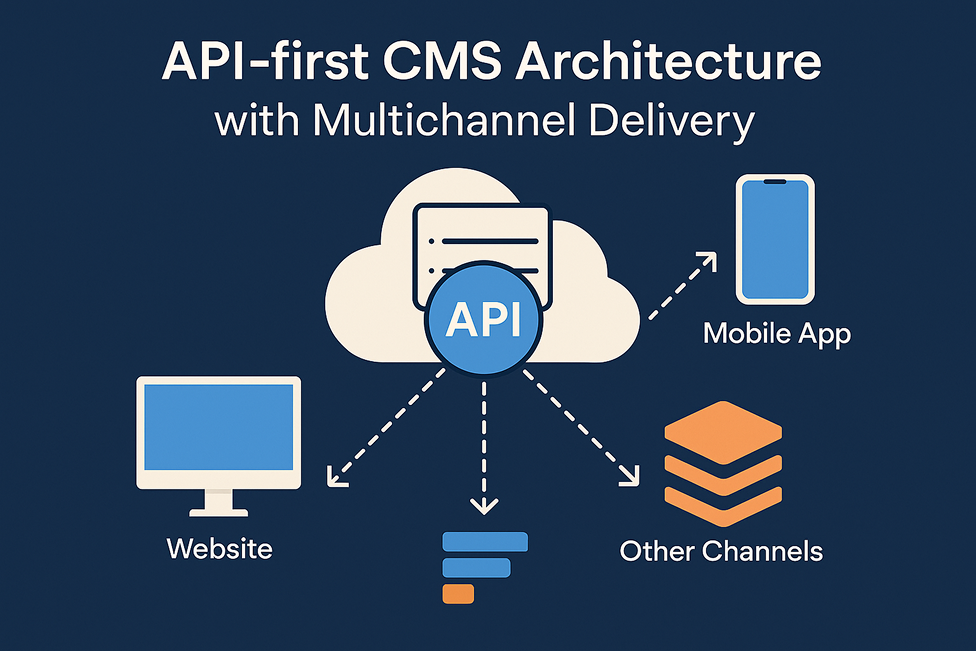
Enter the Headless CMS: a flexible, API-first content management approach designed for modern digital infrastructure.

1. What Is a Headless CMS?

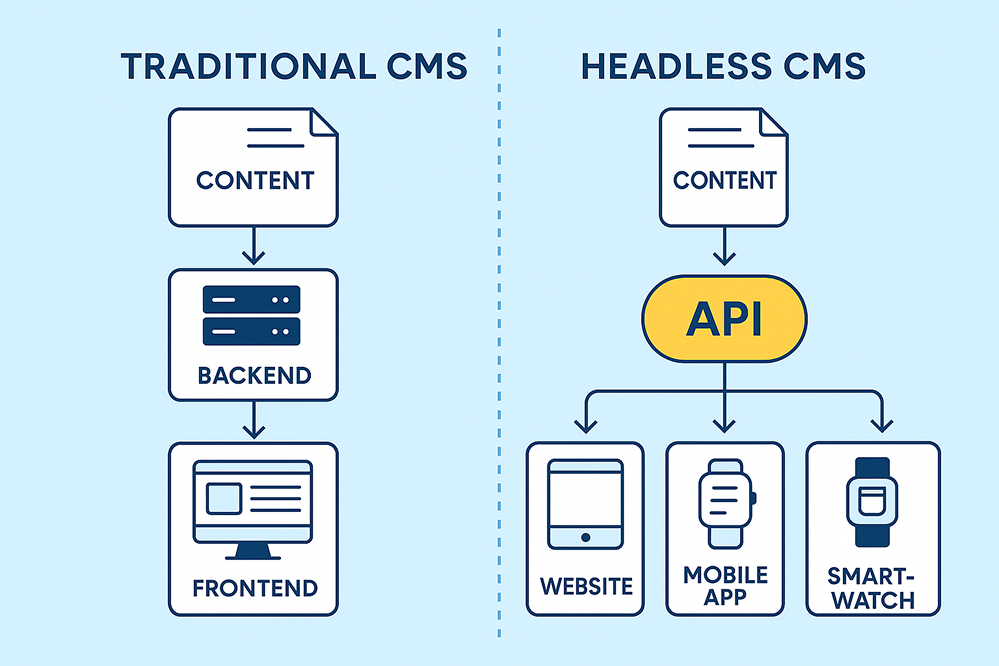
A headless CMS separates content management (backend) from content display (frontend).

  • Content is served via API
  • Can be displayed on websites, apps, smartwatches, kiosks, and more

Traditional CMS: tightly coupled back-end + front-end
Headless CMS: backend only → API → front-end freedom (React, Vue, etc.)

2. Key Benefits

1. Frontend freedom

  • Integrate with any framework (Next.js, Vue, React Native…)
  • Full control over UX/UI
  • Clean and scalable architecture

2. Superior performance

  • API-first = faster content delivery
  • Lightweight builds (Jamstack-ready)
  • Security-first (fewer plugins)

3. Omnichannel capabilities

One CMS can serve:

  • Website
  • Mobile app
  • Internal dashboards
  • Smart devices

3. Ideal Use Cases

Perfect for:

  • SaaS platforms
  • Multilingual websites
  • High-traffic digital products
  • Jamstack apps
  • Complex content workflows

4. Recommended CMS at DevUps

We use and recommend:

  • Strapi – flexible, open-source
  • Storyblok – user-friendly visual editor
  • Contentful – enterprise-grade and scalable

The choice will depend on your frontend stack and your business requirements.

Read more.Top 5 Headless CMS Compared

5. Why DevUps Uses Headless CMS

At DevUps, we frequently build headless architectures powered by Jamstack. Why?

  • Faster development
  • Modular & secure systems
  • Optimal performance
  • Clear separation of content, code, and UX

Discover more what we offer.See all our services

Conclusion

A headless CMS is your future-proof gateway to agile digital growth.

Not sure if headless is right for your company?Contact our experts

How to Evaluate Your Company’s Digital Maturity in 2025

Digital maturity isn’t just about having a CRM or running social media campaigns. It’s the sum of your systems, skills, processes, tools, and internal culture that makes your business truly agile, scalable, and future-ready.

As a full-stack digital partner, DevUps helps companies assess, benchmark, and evolve their digital maturity — building a sustainable foundation for growth.

➡️ In this expert guide, you’ll discover a structured framework to evaluate your digital maturity, identify weak spots, and activate real levers to elevate your digital operations.

1. What Is Digital Maturity?

A Strategic Indicator of Digital Readiness

Digital maturity measures your organization’s ability to:

  • Use technology strategically
  • Optimize internal processes
  • Deliver a seamless customer experience
  • Work in agile, collaborative ways

It’s not a static state — it’s a continuous journey of progress.

2. Why Should You Assess Digital Maturity?

  • Strategic alignment : Sync your business goals with your digital capabilities.
  • Optimized ROI : Avoid scattered spending and invest where it really matters.
  • Tech sovereignty : Gain autonomy over your systems — no over-reliance on vendors or freelancers.

3. The 5 Pillars of Digital Maturity

Each pillar provides critical insights for a clear and actionable diagnosis:

  1. Leadership & Strategy – Clear vision, governance, internal champions
  2. Culture & Capabilities – Digital mindset, tool adoption, training and collaboration
  3. Processes & Operations – Automation, agility, cross-department flow
  4. Technology & Development – Scalable architecture, security, dev agility
  5. Innovation & Customer Experience – UX, personalization, test & learn, support

4. The Evaluation Methodology

  1. Self-assessment questionnaire : Evaluate each pillar (rate from 1 to 5 based on your current practices)
  2. Gap analysis : Identify bottlenecks and weak links
  3. Benchmarking : Compare your maturity with industry standards
  4. Actionable roadmap : Prioritize key improvements based on impact, cost, and maturity level

We’ve published a complete tutorial on this framework, including templates, examples, and expert advice..Read our step-by-step digital maturity guide

5. DevUps Tools & Expertise

  • Strategic diagnostics via our Marketing division
  • Development audits & infrastructure review via Development
  • UX/UI and digital product design via Design
  • Automation of workflows and systems via Automation
  • Innovation labs, MVPs & prototyping via Innovation

Discover more what we offer.See all our services

From Evaluation to Execution

Examples based on weak maturity areas:

  • Low Marketing maturity? → SEO audit + funnel redesign
  • Low Development maturity? → Web/app modernization
  • Low Automation maturity? → CRM/ERP integration + campaign automation

We offer a free digital audit — fast, actionable, and expert-led. Get you free audit now

Conclusion

Evaluating your digital maturity is like running a strategic health check on your business.

It’s the smartest way to focus your digital investments, align your teams, and scale with confidence.

Want a custom audit with actionable insights?Contact our experts

Managing a Remote Tech Team : Best practices

Managing a tech team remotely is no longer optional — it’s a necessity in today’s landscape. With hybrid work models, teams spread across time zones, and the digitalization of processes, managers must adapt and innovate.

But remote work doesn’t have to mean isolation or loss of control. When well-managed, a remote team can actually outperform an in-office one.

👉 Here are the tried-and-tested best practices from the DevUps team to help you structure, support, and grow your remote tech team effectively.

1. Set a Clear Framework from the Start

Define the Rules of the Game

Autonomy doesn’t happen by accident. From day one, lay down the foundation:

  • Choose your tools: Slack, Jira, Notion
  • Set availability hours & async work rules
  • Define delivery formats: sprints, tickets, cycles…

DevUps Tip: Formalize these elements in an internal, regularly updated team charter

Less ambiguity = more flow and responsibility.

2. Build the Right Collaboration Stack

Centralize, Don’t Multiply

The right tools make or break remote teamwork. Here’s the minimum recommended stack:

  • Communication: Slack, Discord, or Mattermost
  • Project tracking: Jira, Trello, or Linear
  • Documentation: Notion, Confluence, or Google Docs

👉 Goal: Avoid information overload and promote transparency.

To learn more, read: : How we organize async collaboration in a fully remote team

3. Manage Without Micromanaging

Trust is Your Performance Lever

Remote work ≠ no management. In fact, it requires more intention:

  • Weekly 1:1 meetings
  • Daily or async stand-ups
  • Clear dashboards with KPIs

But above all, give regular, constructive, and human feedback.

The best tool for a remote manager? Trust — not control. – DevUps

4. Keep Human Connection Alive

Culture Doesn’t Disappear — It Evolves

The human factor is still the core of any high-performing team, remote or not. At DevUps, we nurture it through:

  • Virtual coffees, team games, off-topic Slack channels
  • Weekly demos and retrospectives
  • Celebrating wins (#bravo channel, internal newsletters)

Discover more about Notion in our latest article: Exploring Notion for Team Management

5. Prevent Friction Before It Starts

Be Proactive with Warning Signs

Remote work can sometimes mask:

  • Isolation or mental fatigue
  • Slower responsiveness
  • Misalignment on goals

DevUps recommends:

✅ Define response time expectations
✅ Encourage breaks and time management
✅ Keep an open channel for check-ins and personal follow-up

Case Study: Our DevUps Remote Team Model

At DevUps, our tech team is spread across four time zones. To stay productive and connected, we’ve implemented:

  • An async team charter
  • Structured weekly check-ins
  • A Notion cockpit for specs, tracking, and delivery

We’re happy to share this model for free upon request. Get it now

Conclusion

The real job of a remote manager? Structure, equip, and trust your team.

With the right setup, remote work isn’t a challenge — it’s a performance engine.

Ready to transform your tech team management?Contact us

Need support to structure or improve your tech team management? Contact DevUps for a personalized assessment or tailored guidance.